
2024
Design and workshop facilitation for a reports dashboard that decreased support tickets by 30%
Design and workshop facilitation for a reports dashboard that decreased support tickets by 30%
My Team:
UX/UI Designer
Senior Designer
2 PMs
1 Lead Developer
Techniques:
Visual Design
Workshop
Info Architecture
Usability Tests

AS DESIGN LEAD,
AS DESIGN LEAD,
I designed a new dashboard experience with reporting student activity/bundle completions, through facilitating workshops and rethinking information architecture.
with reporting student activity/bundle completions, through facilitating workshops and rethinking information architecture.
30%
30%
Decrease in ticketing
Decrease in ticketing
1 2.5%
1 2.5%
Of time saved in sprint
in time saved in sprint
BUT WHAT'S THE PROBLEM?
BUT WHAT'S THE PROBLEM?
Admin users struggled to navigate their internal dashboard and interpret the data available to them. Since they only had access to district-level login metrics—without visibility into specific schools or students—they felt unclear about activity bundle performance and often called customer support for help.
Admin users struggled to navigate their internal dashboard and interpret the data available to them. Since they only had access to district-level login metrics—without visibility into specific schools or students—they felt unclear about activity bundle performance and often called customer support for help.
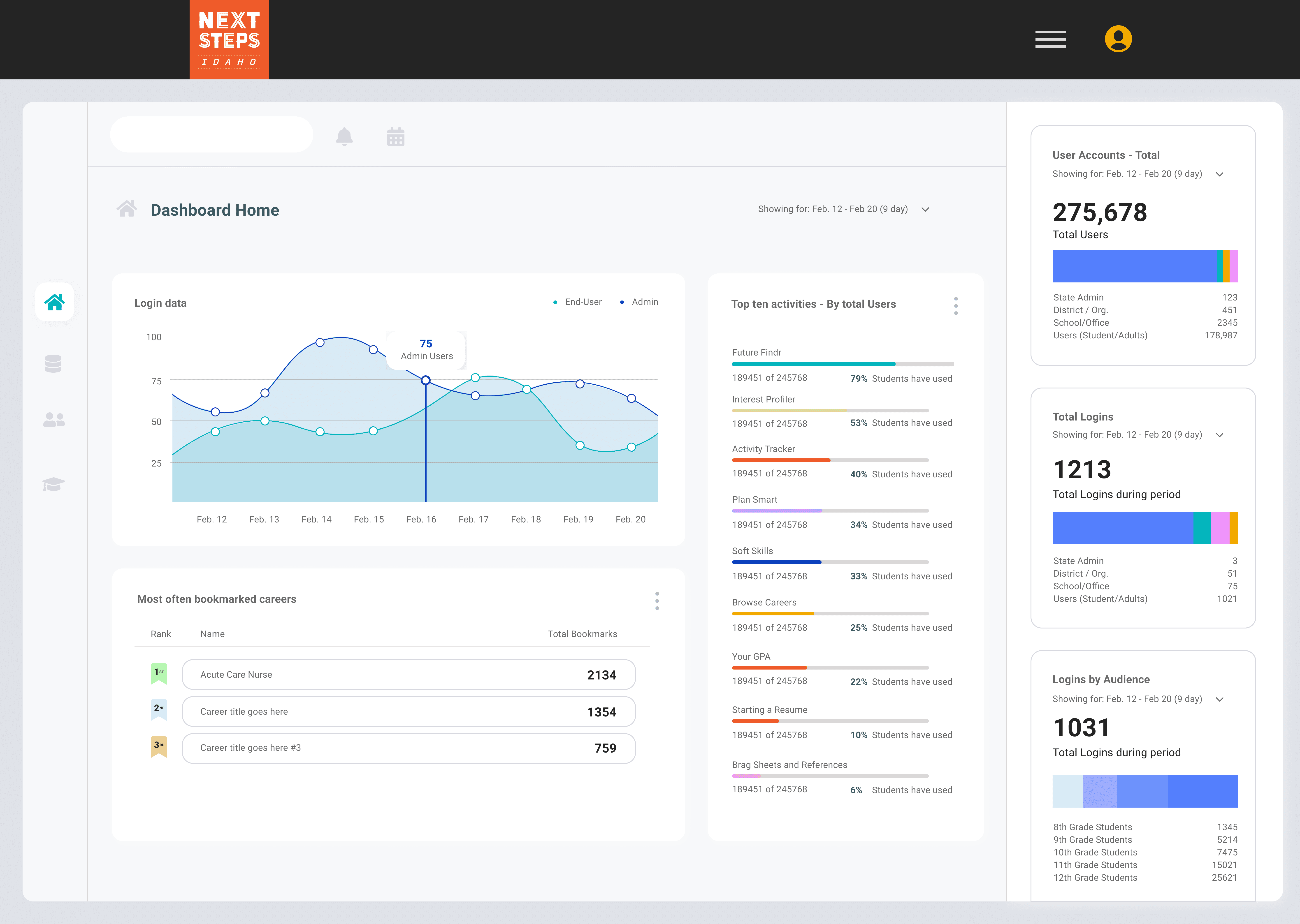
Original Dashboard—home page, logins
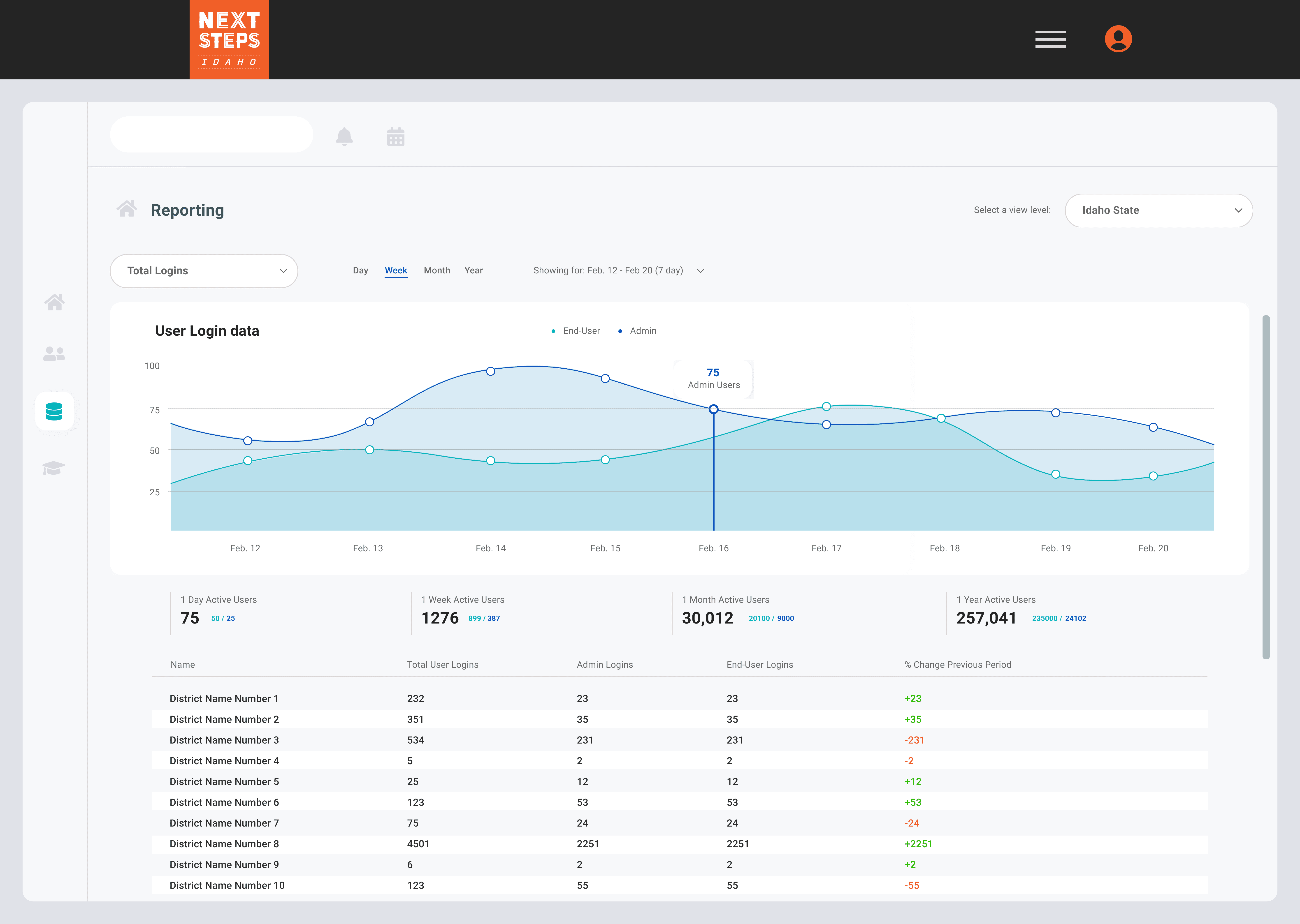
Level 2: District logins
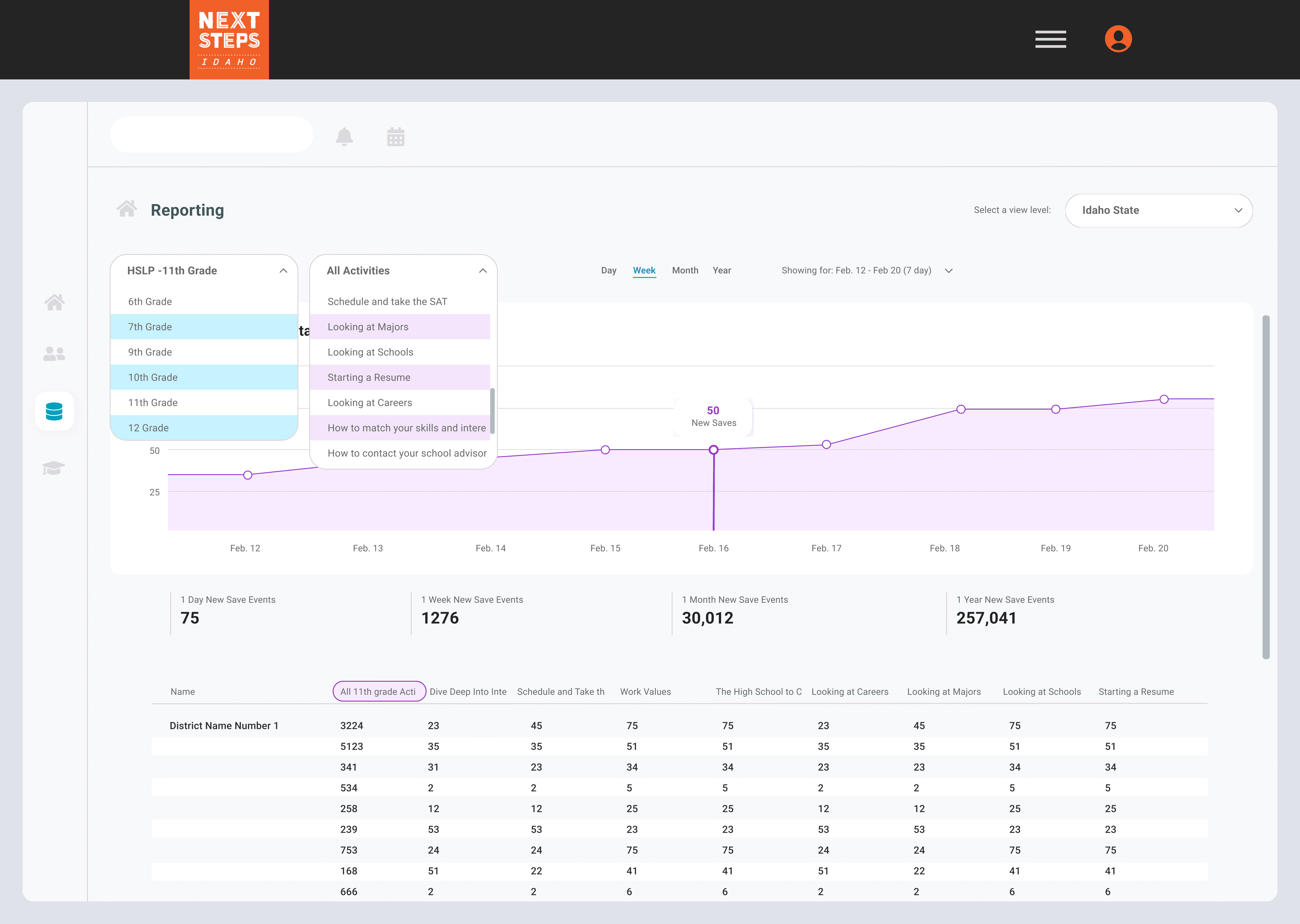
Level 3: District Save Events
Level 1: Logins → Level 2: District → Level 3: Save Events
Vague metrics surfaced upfront, burying key insights several clicks deep.
The new hierarchy—Activity Bundle→ District → School → Student—aligned with admins’ goals, giving them a clear view of how activities were performing across levels.
Changing the information architecture removed the unnecessary and often bulky visual elements and kept data focused on actionable objectives.
Introducing search and filters, enabled users to quickly narrow data by column, operator, or value.
SO, WHAT'S THE SOLUTION?
Our redesign establishes a user flow that starts with admin-created activity bundles and guides users from high-level district insights down to individual student details.
New Dashboard—walkthrough
The new hierarchy—Activity Bundle → District → School → Student—aligned with admins’ goals, giving them a clear view of how activities were performing across levels.
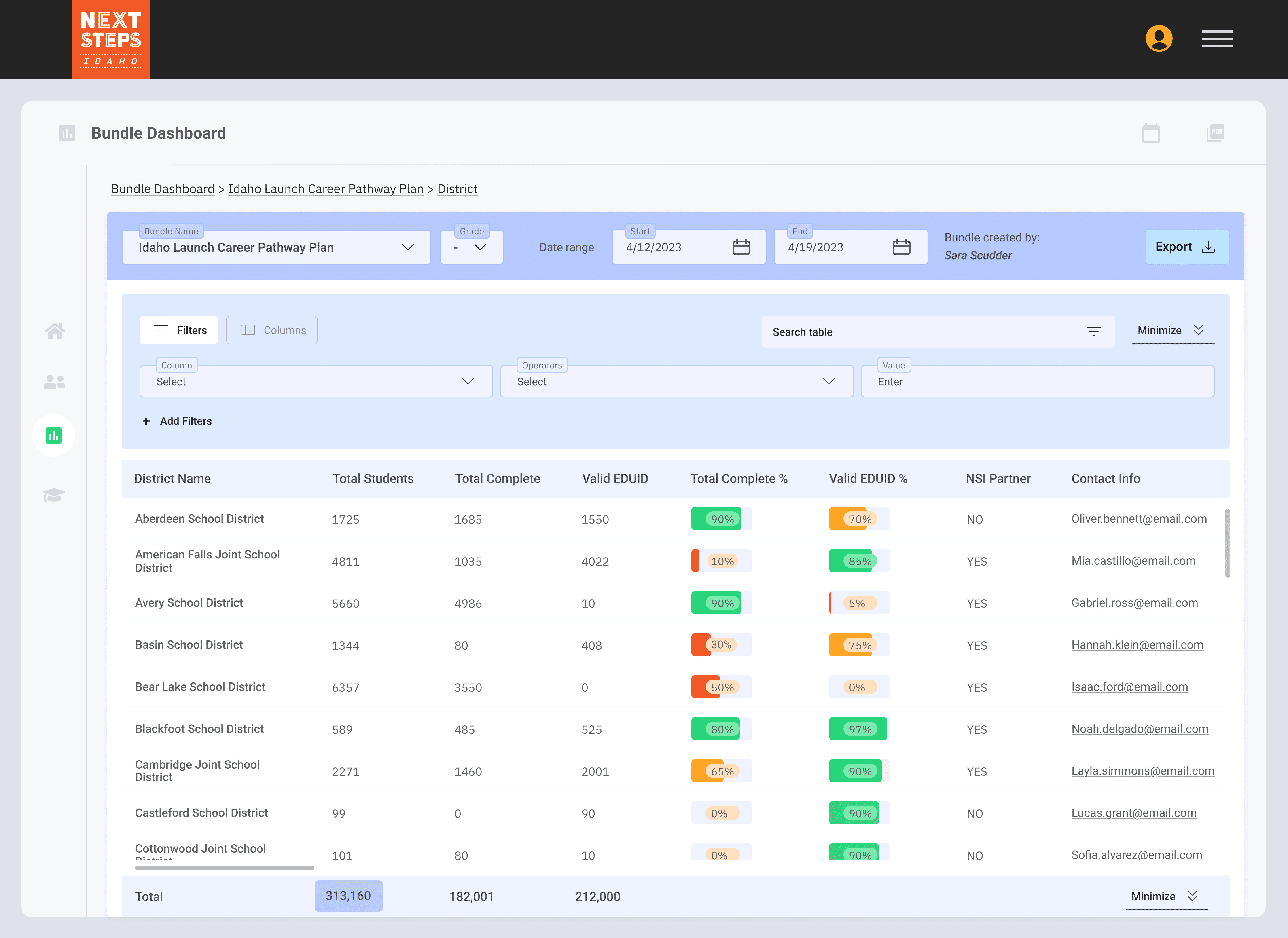
Level 1: District completions
Changing the information architecture removed the unnecessary and often bulky visual elements and kept data focused on meaningful indicators of progress.
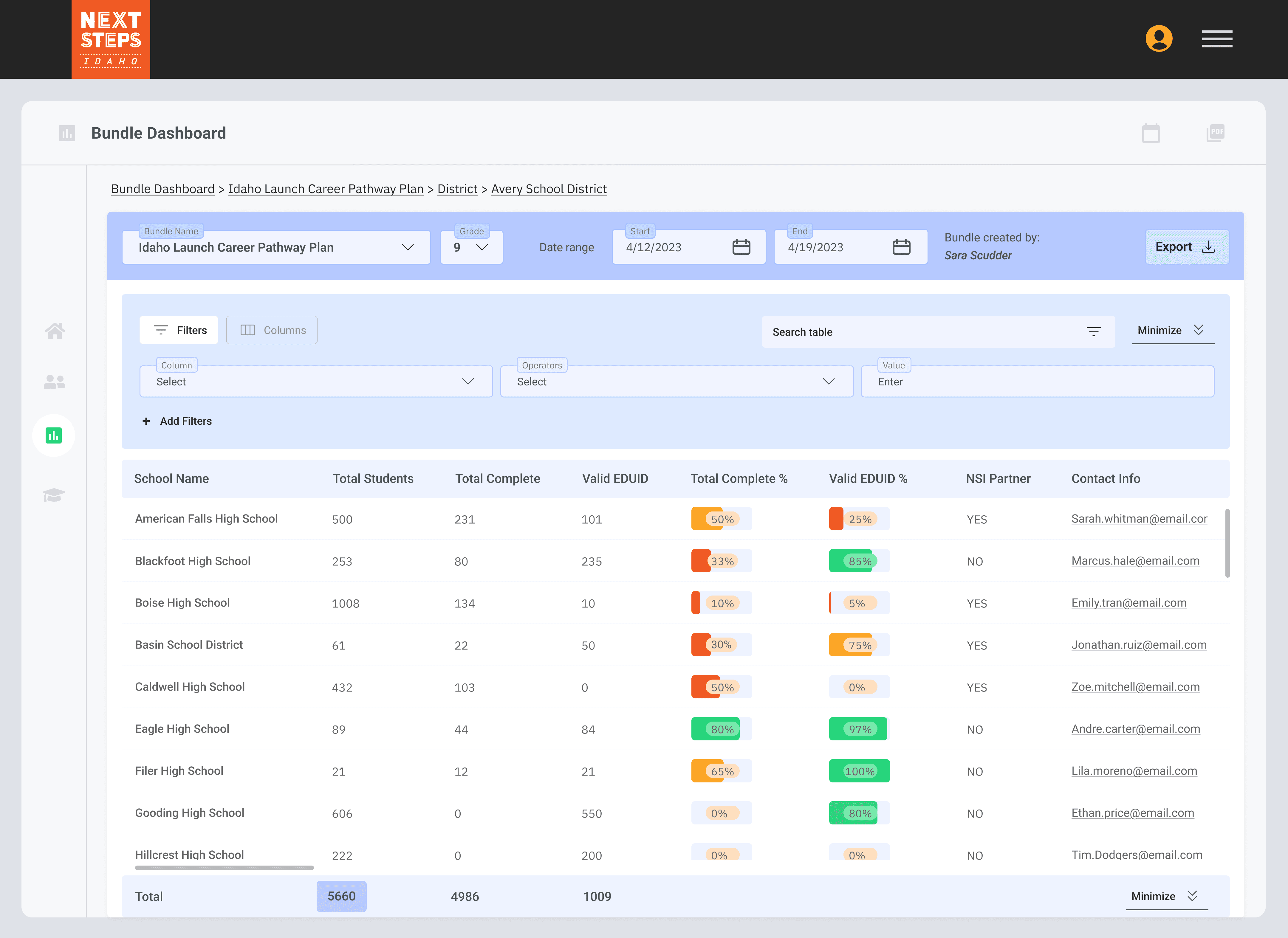
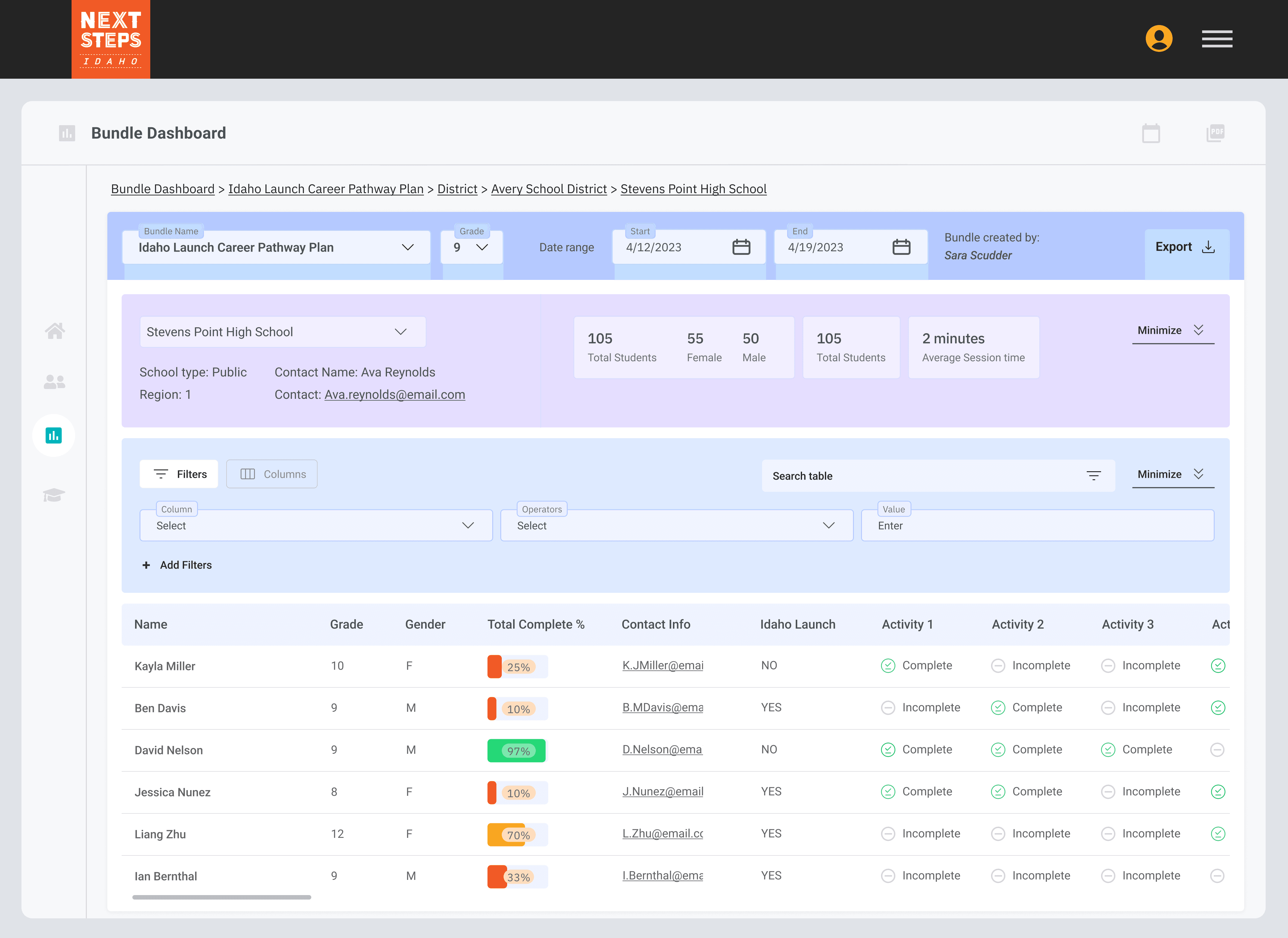
Level 2: School completions
Introducing search and filters, enabled users to quickly narrow data by column, operator, or value.
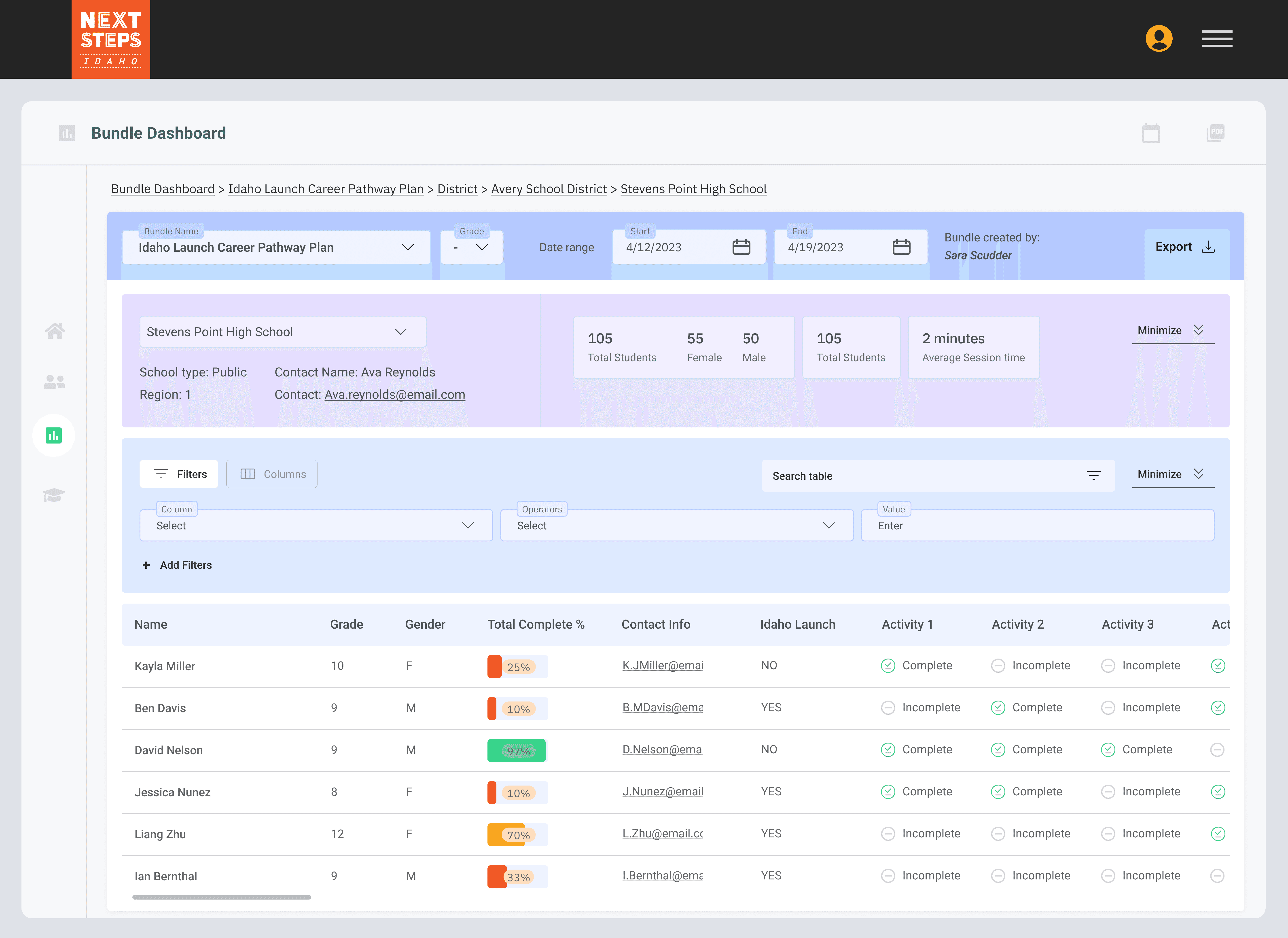
Student view info
Admin are able to view individual students information about progress and access their assessments and activities.
THE RESULTS?
MY IMPACT?
"We can get to everything quickly…so much easier to scan through!
After launch, Next Steps Idaho saw a 30% drop in reporting-related support tickets. Users reported higher satisfaction, noting faster access to information through clearly defined pages, navigation, and filters.
I prototyped and tested stakeholders initial design assumption of nested tables through facilitating a workshop, where we uncovering inefficiencies with varying datasets and saving a week of design time.
THE RESULTS?
"We can get to everything quickly…so much easier to scan through!
After launch, Next Steps Idaho saw a 30% drop in reporting-related support tickets. Users noted higher satisfaction because of faster access to information through clearly defined pages, navigation, and filters.
MY IMPACT?
I prototyped and tested stakeholders initial design assumption of nested tables through facilitating a workshop, where we uncovering inefficiencies with varying datasets and saving a week of design time.
Original Dashboard—home page, logins
Level 2: District logins
Level 3: District Save Events
Level 1: District completions
Level 2: School completions
Level 2: School completions
Student view info
New Dashboard
The new hierarchy—Activity Bundle→ District → School → Student—aligned with admins’ goals, giving them a clear view of how activities were performing across levels.
Introducing search and filters, enabled users to quickly narrow data by column, operator, or value.
Admin are able to view individual students information about progress and access their assessments and activities.
Changing the information architecture removed the unnecessary and often bulky visual elements and kept data focused on actionable objectives.
New Dashboard
District View—home page
Original dashboard—home page
School View
Student View Info
SO, WHAT'S THE SOLUTION?
Our redesign establishes a user flow that starts with admin-created activity bundles and guides users from high-level district insights down to individual student details.
Level 1: Student Logins → Level 2: District → Level 3: Save Events—vague data surfaced upfront, burying key insights several clicks deep.
2025 © Olivia M Lane
2025 © Olivia M Lane
Level 2: District logins
Level 3: District Save Events